Feb 19 2009

PowerPoint 2007: What is Missing-in-Upgrade (MIU)?

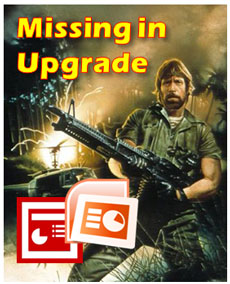
Chuck Norris would seriously maim the Microsoft product manager responsible for these upgrade oversights.

Chuck Norris would take down the Microsoft developers responsible for some key feature oversights in PPT 2007.

PowerPoint 2007 has many great features such as its enhanced picture effects, enhanced Presenter View, Selection Pane, Save as PDF file option, new shortcut keys (Paste Special = Ctrl + Alt + V), etc. There are some new features that I’m still not yet convinced that I like such as the Ribbon or SmartArt.

In addition to these notable enhancements, there were some features in PowerPoint 2003 that disappeared or changed in PowerPoint 2007 — but not for the better. Although I would recommend people upgrade to PowerPoint 2007 from PowerPoint 2003, I still have both versions on my work computer. I’ve identified six “missing in upgrade” (MIU) features that would push Chuck Norris and many PowerPoint ninjas over the edge. Continue reading “PowerPoint 2007: What is Missing-in-Upgrade (MIU)?”
Tags: , , , , , , , ,


Feb 14 2009

Redmond, We Have a Problem: Freeform Drawing in PowerPoint 2007

Once you start drawing freeform objects in PowerPoint 2007, you quickly realize it behaves very differently than it did in PowerPoint 2003. I don’t understand why Microsoft decided to mess with something that wasn’t broken. I’ve identified three separate issues related to freeform drawing that were introduced in PowerPoint 2007. For PowerPoint ninjas, these issues are like bamboo shoots under our finger nails. Well, maybe more like hangnails — but they are really annoying! Continue reading “Redmond, We Have a Problem: Freeform Drawing in PowerPoint 2007”

Tags: , , , , , , , ,


Feb 11 2009

Time is the Root of All PowerPoint Evil

People love to hate PowerPoint, but the real problem is time

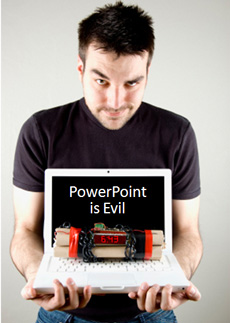
People love to hate PowerPoint, but the real problem is time management. (c)iStockphoto/Rickard Blommengren

When it comes to bad PowerPoint presentations, most people love to blame the tool or software. However, it’s interesting that many other people can use the same tool and achieve completely different results.

You might be able to rack up the different outcomes to a person’s experience and expertise, but I believe all ‘PowerPoint evil’ can be traced back to the simple issue of time – and how we manage it or choose to spend it. Continue reading “Time is the Root of All PowerPoint Evil”

Tags: , , , , , , , ,


Feb 05 2009

Make Your Pie Charts Pop in PowerPoint 2007

Are your PowerPoint pie charts looking a little tired and stale? Is it time to make your pie chart data stand out? We’ve seen the same basic pie chart design since Office 97.

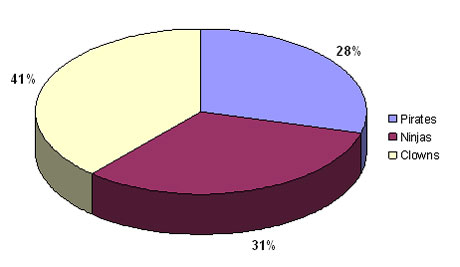
Look familiar? It's a whole lot of PowerPoint pie chart ugly. Wfffff. I can hear the air going out of your presentation if you're still using pie charts like this one.

Look familiar? It's a whole lot of PowerPoint pie chart ugly. Wfffff. I can hear the air going out of your presentation if you're still using pie charts like this one.

In PowerPoint 2007, there are many new shape effects that can help you to produce Photoshop-like results. One such effect is the bevel effect. When you use it in combination with your pie charts you can really add some zing to your PowerPoint presentations. Continue reading “Make Your Pie Charts Pop in PowerPoint 2007”

Tags: , , , , , , ,


Feb 02 2009

PowerPoint Template Secret Sauce

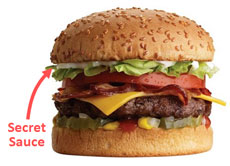
Secret sauce makes the burger and the corporate template

Secret sauce makes the burger and the corporate template

In a previous post, I explained why most corporate presentation templates fail to meet the needs of PowerPoint users because they are frequently created by people who don’t use PowerPoint on a regular basis. In my last article, I covered the basics of PowerPoint backgrounds and how they need to be designed in order to create an effective PowerPoint template.

If your background is designed effectively, is your corporate template ready for action? Not quite. There are a number of other important “secret sauce” considerations that go into creating a truly “usable” corporate presentation template: Continue reading “PowerPoint Template Secret Sauce”

Tags: , , , , , , ,


« Previous PageNext Page »