If you grew up playing video games in the 80’s, you’ll have fond memories of Pac-Man and Ms. Pac-Man. These classic arcade games were revolutionary in their day and continue to be favorites today. If you compare their simple 2D format to today’s lifelike first-person shooters, you wonder why people still continue to play them. The fact is their simple game play is still infectious. Continue reading “Curse of Pac-Man: the Dangers of 3D Charts in PowerPoint”
Jun 11 2009
Tips for Sharing Large PowerPoint Files

How can I get this 18 MB PPT file to our client in Chicago in the next 7 minutes? (c) iStockPhoto / contour99
You killed yourself to complete a PowerPoint presentation on a short deadline. You put a lot of time and effort into your slides — crafting a cohesive message, choosing some great images, and building some advanced animation effects. What a relief that you were able to submit everything on time, and you’re confident that you’ll receive great feedback on all your hard work (promotion, hello?). Continue reading “Tips for Sharing Large PowerPoint Files”
May 28 2009
Seven Tips for Using Analogies in PowerPoint Presentations
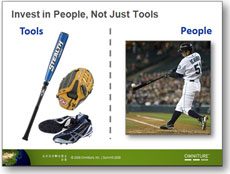
I used this baseball analogy in Japan. Go Ichiro!
When you’re presenting a complex or unfamiliar concept, an analogy can be a very effective communication tool. An analogy draws connections between something unfamiliar and something well-known – e.g., web governance (complex / unfamiliar) and baseball (straightforward / familiar). Continue reading “Seven Tips for Using Analogies in PowerPoint Presentations”
May 16 2009
PowerPoint 2007: Recent Documents and Push Pins

Push pins in PowerPoint 2007 can be time savers (c) iStockPhoto/Talaj
If you work with multiple PowerPoint presentations each week, it can be difficult to quickly find key presentations when you need them at a moment’s notice. I’m frequently reviewing other people’s PowerPoint slides and going back and forth between several of my own presentations. There are a couple of new features in PowerPoint 2007 that can benefit heavy PowerPoint users and save you time. Continue reading “PowerPoint 2007: Recent Documents and Push Pins”
May 09 2009
Password Protect Your PowerPoint Slides
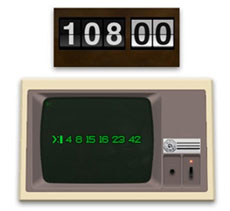
The Dharma Initiative might want to mix up their passwords for their top secret PPT presentations.
If you share your PowerPoint slides with other people inside or outside your organization, you may want to control or lock your slides so that they can only be viewed or edited by select people.
Nothing can be more painful than seeing your carefully designed PowerPoint presentation being butchered by random individuals within your company. PowerPoint provides a couple of options to control what happens to your slides after you’ve built them. Continue reading “Password Protect Your PowerPoint Slides”
« Previous Page — Next Page »


